
robertdebock.tailscale
Ansible Role Tailscale
This guide explains how to install and set up Tailscale on your system.
| GitHub | GitLab | Downloads | Version |
|---|---|---|---|
 |
 |
 |
 |
Example Playbook
Here’s a simple example of how to use the Tailscale role, taken from the Molecule test file. This will run tests every time changes are made.
---
- name: Setup Tailscale
  hosts: all
  become: true
  gather_facts: true

  roles:
    - role: robertdebock.tailscale
      # You can set the `tailscale_authkey` to allow automatic joining.
      # If not set, registration will need to be done manually.
      # tailscale_authkey: "tskey-auth-KEY_IDENTITY-KEY_SECRET"

      # To make this node an exit node, uncomment the line below.
      # tailscale_exit_node: true

      # To advertise specific routes to the Tailscale network, use:
      # tailscale_advertise_routes:
      #   - 10.0.0.0/24
      #   - 10.0.1.0/24

      # You can specify a custom hostname:
      # tailscale_hostname: some_hostname
Before running this, make sure your system is prepared. In Continuous Integration (CI) setups, this can be done using another playbook:
---
- name: Prepare System
  hosts: all
  become: true
  gather_facts: false

  roles:
    - role: robertdebock.bootstrap
For more details, check out a full explanation and example on using these roles.
Role Variables
Default values for the role variables are found in the defaults/main.yml:
---
# Default settings for Tailscale

# Set this to true to allow your Tailscale node to act as an exit node.
tailscale_exit_node: false

# Add subnets here to route traffic through Tailscale.
tailscale_advertise_routes: []

# Use an authkey to authenticate with the Tailscale service.
# Generate keys at: https://login.tailscale.com/admin/settings/keys
tailscale_authkey: ""

# Set a hostname for the Tailscale node.
tailscale_hostname: "{{ ansible_hostname }}"
Requirements
You may need certain Python packages. Check requirements.txt for details.
State of Used Roles
The following roles help prepare your system. You can set up your system differently if needed.
| Requirement | GitHub | GitLab |
|---|---|---|
| robertdebock.bootstrap |  |
 |
Context
This role is part of several compatible roles. For additional information, check the documentation for these roles here.
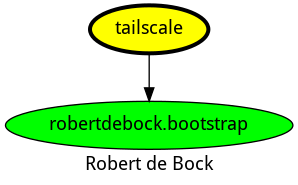
Here’s an overview of related roles:
Compatibility
This role has been tested with the following container images:
| Container | Tags |
|---|---|
| Amazon | Candidate |
| Debian | all |
| Enterprise Linux | 9 |
| Fedora | 38, 39 |
| Ubuntu | all |
This role requires Ansible version 2.10 or higher. Tests have also been conducted on previous versions and the latest development version.
If you encounter any problems, please report them on GitHub.
License
This project is licensed under the Apache-2.0 License.
Author Information
The creator of this role is robertdebock.
If you appreciate this work, consider sponsoring me.
Install and configure tailscale on your system.
ansible-galaxy install robertdebock.tailscale