
OT-OSM.openvpn
Ansible Role: OpenVPN


An ansible role to install and configure OpenVPN server.
Version History
| Date | Version | Description | Changed By |
|---|---|---|---|
| 16 August 2018 | v.1.0.0 | Initial Draft | Yashvinder Hooda |
| 8 September 2018 | v.1.0.0 | Added Role for Debian | Sudipt Sharma |
| 9 October 2018 | v.1.0.0 | Updated Readme | Sudipt Sharma |
| 13 November 2018 | v.1.0.0 | Updated for RHEL | Sudipt Sharma |
| 28 February 2019 | v.1.0.0 | Added Gitlab-CI | Mahesh Kumar |
| 31 May 2019 | v.1.0.0 | Added molecule Test-cases | Ekansh Jain |
| 13 January 2020 | v.1.0.0 | Updated for AMAZON | Sudipt Sharma |
| 11 February 2020 | v.1.0.0 | Added tags for client create & revoke | Sudipt Sharma |
| 18th April 2020 | v.1.0.0 | Integrated circle-ci | Sudipt Sharma |
Salient Features
- This Role automates the VPN setup using OpenVPN. The role consist of two meta files
- clientlist: Enter the namer of the client you want to add.
- revokelist: Enter the names of the client you want to revoke.
Note:
Disable Source/Destination Check.
From the list of instances, select the VPN instance and then Networking->Change Source/Dest. Check from the drop down menu. Then click Yes, Disable. This is needed as otherwise, your VPN
server will not be able to connect to your other EC2 instances.
Supported OS
- CentOS:7
- CentOS:6
- Ubuntu:bionic
- Ubuntu:xenial
- Amazon AMI
Dependencies
- None :)
Directory Layout
osm_openvpn
.
├── clientlist
├── defaults
│   └── main.yml
├── files
│   └── make_config.sh
├── handlers
│   └── main.yml
├── media
│   ├── add_connection.png
│   ├── addvpn.jpg
│   ├── client.png
│   ├── import_file.png
│   ├── save_key.png
│   ├── select_file.png
│   └── vpn.jpg
├── meta
│   └── main.yaml
├── molecule
│   └── default
│       ├── Dockerfile.j2
│       ├── INSTALL.rst
│       ├── molecule.yml
│       ├── playbook.yml
│       └── tests
│           ├── test_default.py
│           └── test_default.pyc
├── README.md
├── revokelist
├── tasks
│   ├── client_keys.yaml
│   ├── config.yaml
│   ├── easy-rsa.yaml
│   ├── firewall.yaml
│   ├── install.yaml
│   ├── main.yaml
│   ├── revoke.yaml
│   └── server_keys.yaml
└── templates
    ├── before.rules.j2
    ├── client.conf.j2
    └── server.conf.j2
10 directories, 31 files
Role Variables
| Variables | Default Values | Description | Type |
|---|---|---|---|
| server_name | server | OpenVPN server Name | Optional |
| PROTOCOL | udp | The protocaol on which the server will work | Mandatory |
| PORT | udp | The port on which the server will work | Mandatory |
| openvpn_server_network | 10.8.0.0 | CIDR range given to vpn network | Optional |
| base_directory | /etc/openvpn | Configuration path of openvpn server | Optional |
| easy_rsa_url | url | URL to download Easy RSA | Optional |
| block_all_connection | false | Block all communication for openvpn client | Optional |
| port_list | [80,443] | Allow specific ports for openvpn client & only applicable if block_all_connection == true | Optional |
Example Playbook
---
- name: It will automate OpenVPN setup
  hosts: server
  become: true
  roles:
    - role: osm_openvpn
...

$  ansible-playbook site.yml -i inventory
- For generating client keys
$ ansible-playbook site.yml -i inventory --tags "generate_client_keys"
- For revoking client keys
$ ansible-playbook site.yml -i inventory --tags "revoke_client_keys"
Inventory
An inventory should look like this:-
[server]
192.xxx.x.xxx    ansible_user=ubuntu
Client keys
Client keys will be generated in /tmp/{{client_name}}.ovpn of local host.
For client Configuration
Install OpenVpn
apt-get install openvpn -y
Install Openvpn GUI for ubuntu 18.04 bionic beaver
apt install network-manager-openvpn-gnome -y
After installing go to network settings

Add VPN to your network settings

Then VPN settings and add browse your client.ovpn
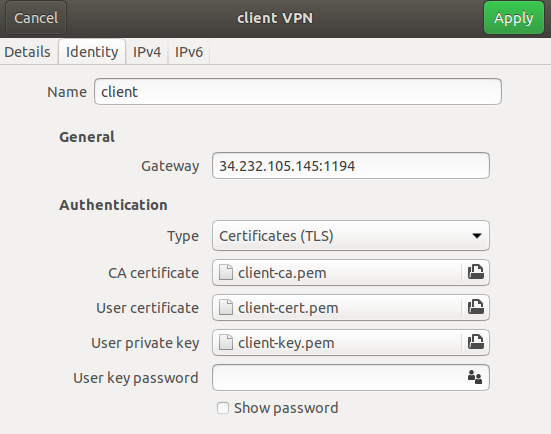
Install Openvpn GUI for ubuntu 16.04 xenial
apt install network-manager-openvpn-gnome -y
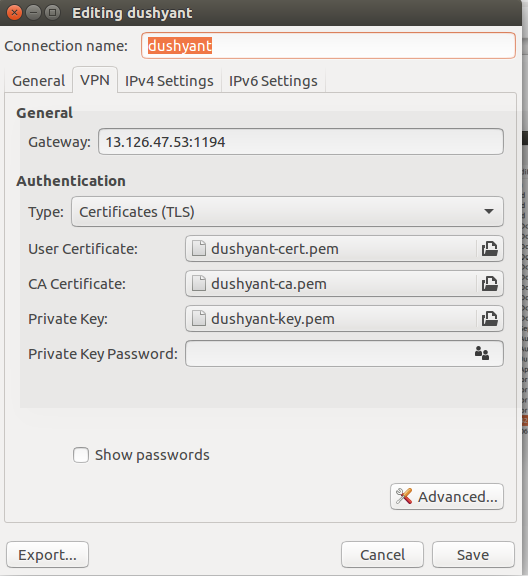
After installing go to network settings
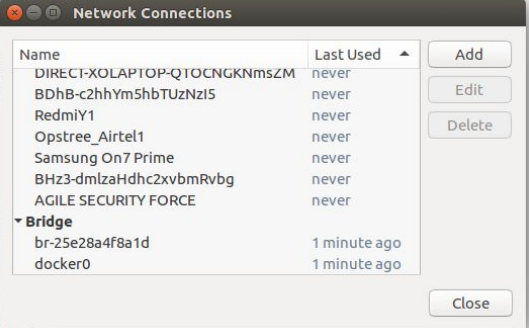
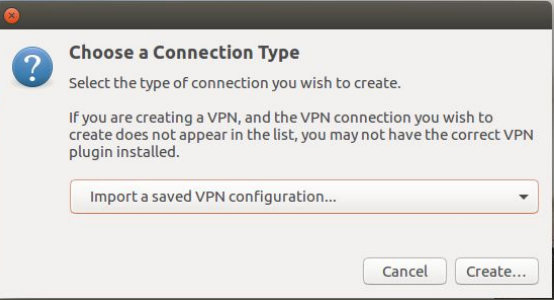
Add .ovpn file to your network settings
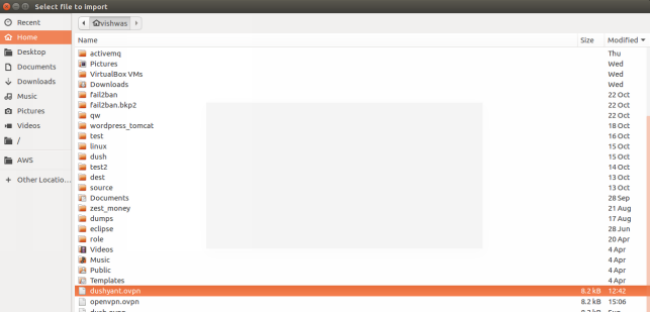
Then select the .client.ovpn file.
Then save the client.ovpn file.
Future Proposed Changes
- Fix the role to run on bare metal
References
License
- MIT / BSD
Author Information
Contributors

OpenVpn ansible role for creating a secure tunnel to your private infra.
ansible-galaxy install OT-OSM.openvpn